Watch the install, step by step
A short video (about 90 seconds, in Egyptian Arabic) on a real Android phone: from the download button until the app opens.
MaxDent Go is a complete dental clinic system with no Windows PC needed. The clinic must first be set up from an Android phone or tablet; after that, staff can work from Android or from an iPhone in Safari. Your clinic’s data lives on your clinic’s own free Cloudflare account, not on anyone else’s server.
15-day free trial · one-time purchase per branch · no subscriptions · Online only

The first shows how to install the app on your Android phone; the second shows how to open it the first time and start your free 15-day trial.
A short video (about 90 seconds, in Egyptian Arabic) on a real Android phone: from the download button until the app opens.
A short video showing the first launch and how to start the 15-day trial.
Front desk, doctors and the manager on the same clinic, each with their own permissions, from their phone or tablet.
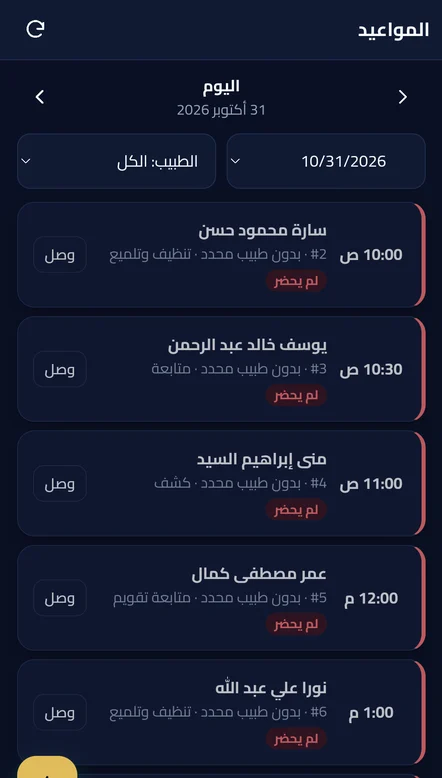
Today's booked appointments in time order, week and month views, a status for every visit (booked, confirmed, arrived, in the chair, done, no-show) that reaches the dashboard at once, waiting time, and a printable day list.
The same booking page as MaxDent Enterprise: patients book from the clinic link or QR, bookings appear in the schedule marked 🌐 for confirmation, and patients can cancel or move them from their own link.
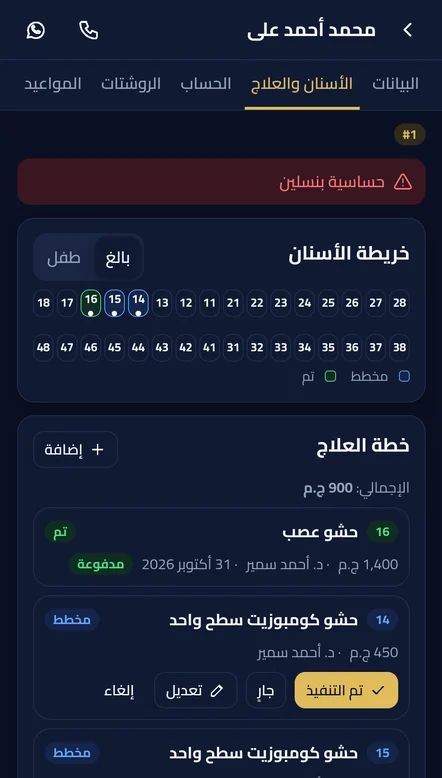
Patient details, medical alerts and extra fields, a dental chart and treatment plan priced from the service list with a discount per item, several items done in one tap, and a printable plan.
Invoices, partial payments, patient and family balances, a statement for any period with the balance after each payment, refunds that can be undone, and the newest entry always on top.
Prescriptions from ready drug templates with doses, linked to the treatment item, printed on the clinic letterhead.
Each finished crown is ready for the lab on its own, a statement per lab with its payments, and expenses on the clinic or the doctor.
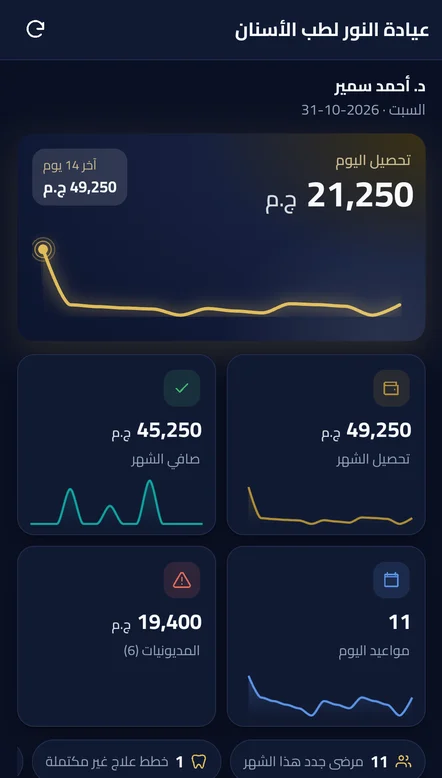
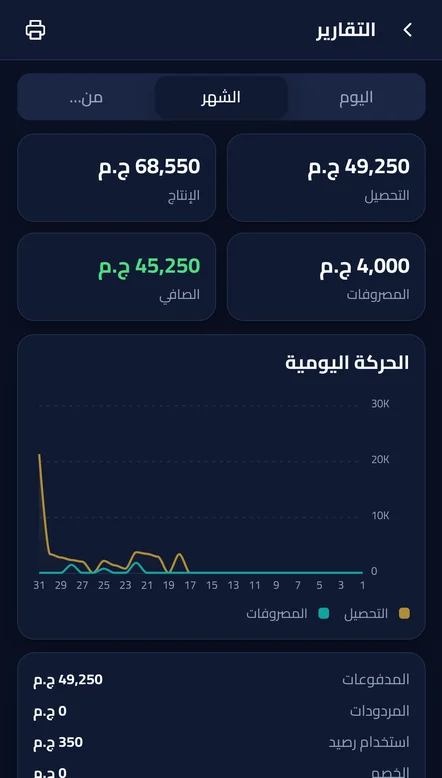
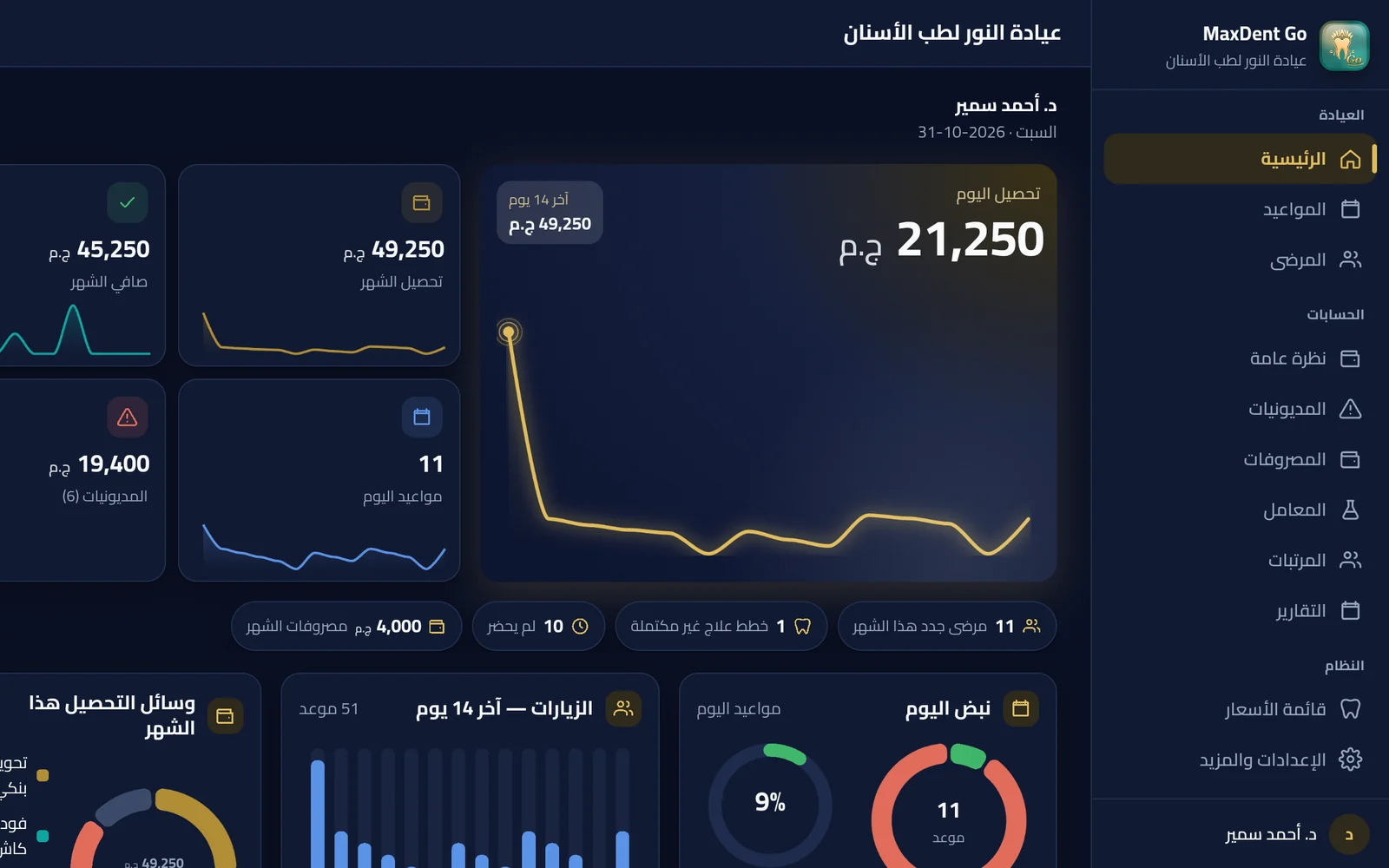
The clinic pulse with two curves for collections and appointments, income versus expenses, doctor income, debtors, and monthly or any-period reports.
Doctor shares and payroll with a statement per doctor; each doctor sees only their own account.
New booking, cancellation, reschedule, patient arrival and new payment — a switch for each, and no patient name or amount on the lock screen.
Ready roles and per-user permissions tied to every screen and action, team invites with a join code, and any device switched off in a second.
An automatic encrypted daily backup to Google Drive (up to 3 accounts) or as a file on the phone, restored with the recovery code. The app and the clinic server update from inside the app.
On a tablet, portrait or landscape: boxes side by side share one height, and landscape adds a side menu and a full dashboard for collection, appointments, labs and doctors.
Install MaxDent Go on an Android phone or tablet. The clinic must be set up from Android first.
Choose “New clinic” and approve the link to your clinic's Cloudflare account. The free account is enough; the app sets up the clinic cloud by itself.
The 15-day free trial is activated directly by the MaxDent website: clinic name, your name and WhatsApp number. One trial per clinic.
From “Team” create a join code. Staff on Android join from the app; staff with an iPhone open the clinic link in Safari and add it to the home screen.
No activation codes to pass around: the license is bound to your clinic and its Cloudflare account.
“License” → “Buy license”. The secure MaxDent checkout opens, and after payment the license reaches the app automatically.
Buy here for as many branches as you need. You get an order number; in the app: “License” → “Bought on the website”, then enter the order number and your email.
Bank transfer or cash? Message us on WhatsApp and we activate your clinic's license manually. WhatsApp
New phone or a new Cloudflare account? Restoring with the recovery code moves the license to your new account (3 times a year by yourself, then with our approval).
Per branch. No monthly or yearly subscription.
The app comes from the official MaxDent website, not Google Play, so your phone will ask one or two safety questions. That is normal for any app outside the store. Every step is here, before the download button.
On an Android phone or tablet. The file downloads in seconds.
When the download ends, tap the “Download complete” notification, or open Files → Downloads and tap MaxDent_Go.
If you see “unknown sources”, tap Settings, turn on “Allow from this source” and go back.
If Google Play Protect warns you, tap “More details”, then “Install anyway”. It shows this for any app outside Google Play.
You are on an Android phone. Tap the button and the app downloads right away.
One file, about 7.5 MB · version 4.13.3
MaxDent Go installs on Android. The clinic’s first launch must be on an Android phone or tablet. If you are staff with an iPhone, open the clinic link your doctor sent you in Safari and choose “Add to Home Screen”.
The app installs on a phone, not on a computer. Scan this code with an Android phone camera, or send the link to yourself on WhatsApp and open it on the phone.
Or download the file to this computer if you will move it to the phone yourself
Keep this page open and continue:
The app is signed with the official MaxDent key, with no ads and no unusual permissions.
After “Allow from this source”, tap Install. If the phone refuses completely, Auto Blocker is probably on: Settings → Security and privacy → Auto Blocker → turn it off, install the app, then turn it back on if you like.
A security scan counts down for a few seconds. Wait for it to finish, then tap Continue or “Install anyway”. If it asks to allow the browser, turn on “Allow from this source”.
It may ask for your phone password or run a security check before installing. Confirm, then tap Install or “Install anyway”.
If Pure Mode appears, choose “Install anyway”, or turn it off in Settings → System & updates → Pure Mode, then install the app.
Same idea: allow the app you opened the file from (Chrome or Files) to install apps, and if any warning appears choose “Install anyway”.
Usually low storage or an incomplete download. Free some space and download the file again. If an older MaxDent Go is installed, install the new one straight over it without removing it.
Open the Files or My Files app → Downloads and tap MaxDent_Go. If the download opened as a text page, download it again in Chrome.
Google shows this automatically for any app not installed from Google Play. The app is signed with the official MaxDent key. Tap “More details”, then “Install anyway”.
Open this page on your phone (scan the code from the computer) or send the file to yourself on WhatsApp and open it on the phone.
Send us a screenshot of what you see on WhatsApp and we will walk you through it, or ask Sarah right here on the site.
Important: the clinic’s first launch must be on Android. iPhone is for staff only: they open the clinic link in Safari and add it to the Home Screen, with no file to download.
MaxDent Mobile and online booking are free with them: in the program open Settings → “Cloud connection”, link the clinic's Cloudflare account, turn on “Mobile” or “Online booking”, then open the clinic link on your phone and add it to the home screen.
Download the app and set up your clinic from your phone in minutes.