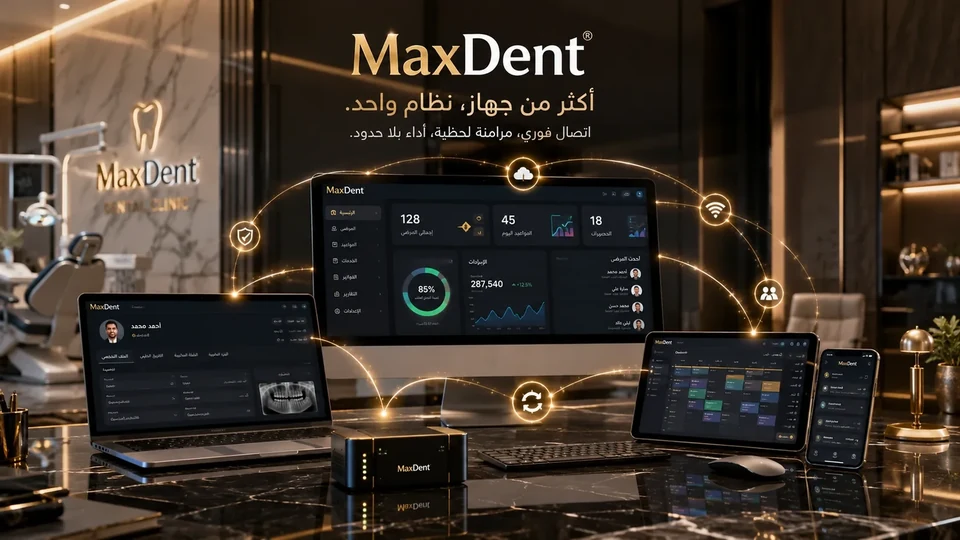
The complete system

All the features that make MaxDent more than just clinic software

Practical features written in the language of doctors and clinic managers: how MaxDent organizes patient reception, appointments, treatment plans, accounting, reports, and clinic-data protection — with regular updates that continuously improve the system according to doctors’ needs.

MaxDent logo 590 Documented feature and service
01Patients
02Appointments
03Treatment
04Accounting
05Reports
06Protection
16 operational sectionsOne Connected Dental Ecosystem
✨ 590+ documented features across 16 sections

Key MaxDent capabilities

Real operational capabilities inside the clinic, from the executive dashboard to payroll, imaging, synchronization, and patient communication.

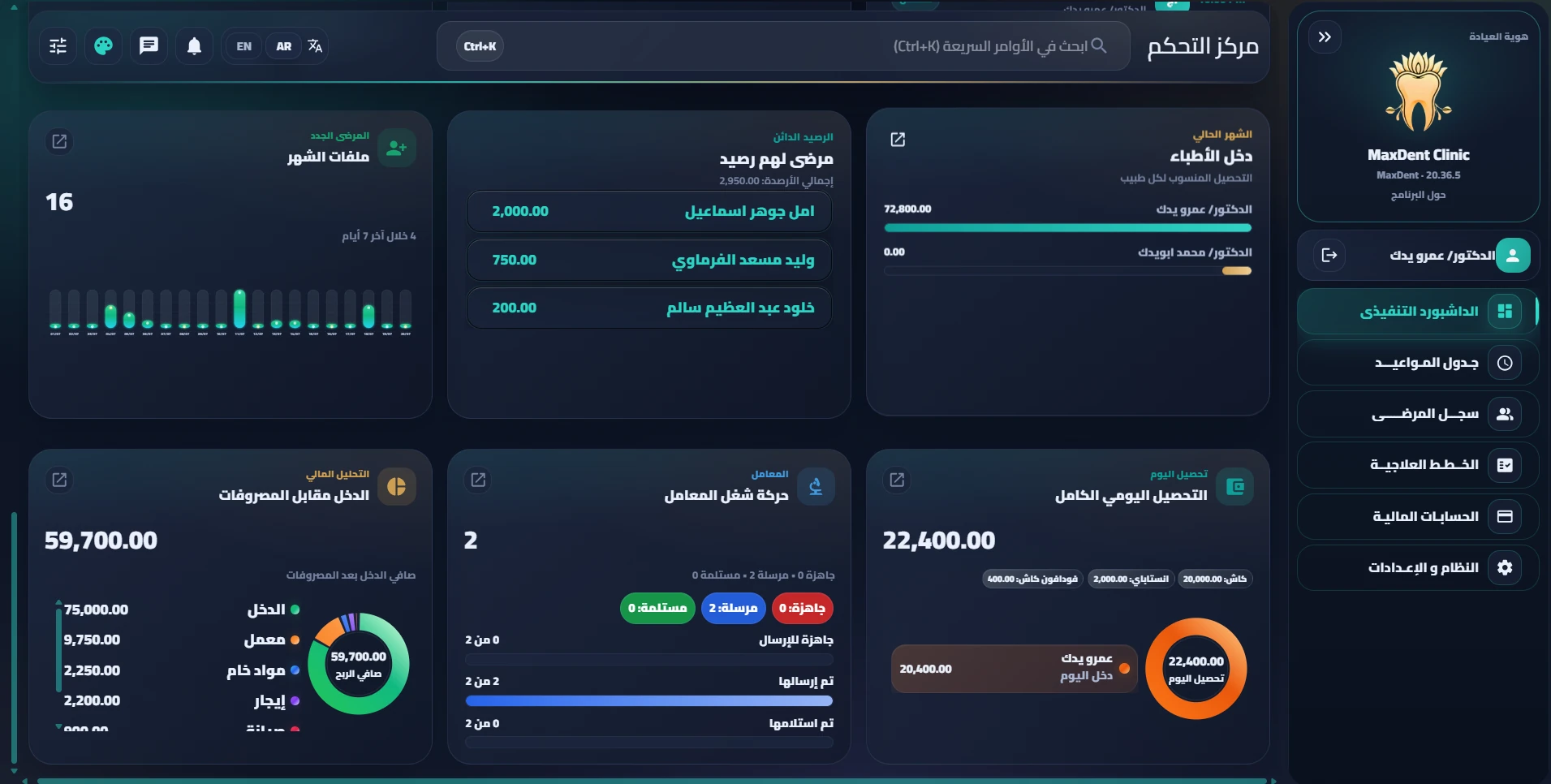
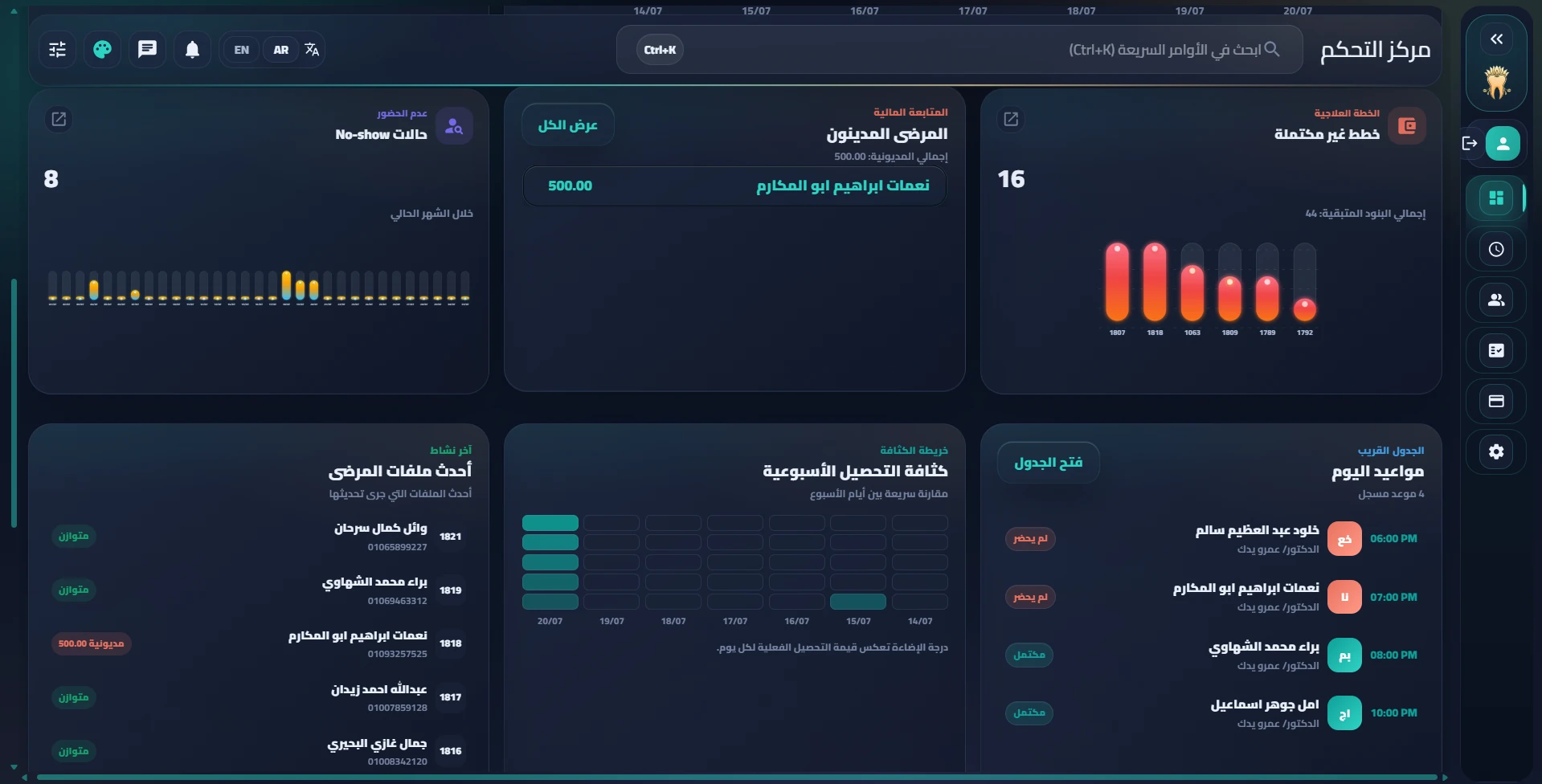
📊 Aurora executive dashboard

Animated weekly charts, net-income margin, collection intensity, credit balances, and latest records in one premium dashboard.

💼 Doctor salaries and commissions

Fixed salary, monthly target, and commission from actual collections with settlements, payouts, and monthly statements — with the plan optional for each doctor.

🩻 Advanced X-ray viewer

Zoom, pan, rotate, flip, brightness, contrast, before/after comparison, and accurate measurements after calibration.

📝 Post-procedure instructions

Central editable templates that can be imported from Word and printed on the back of an A5 prescription.

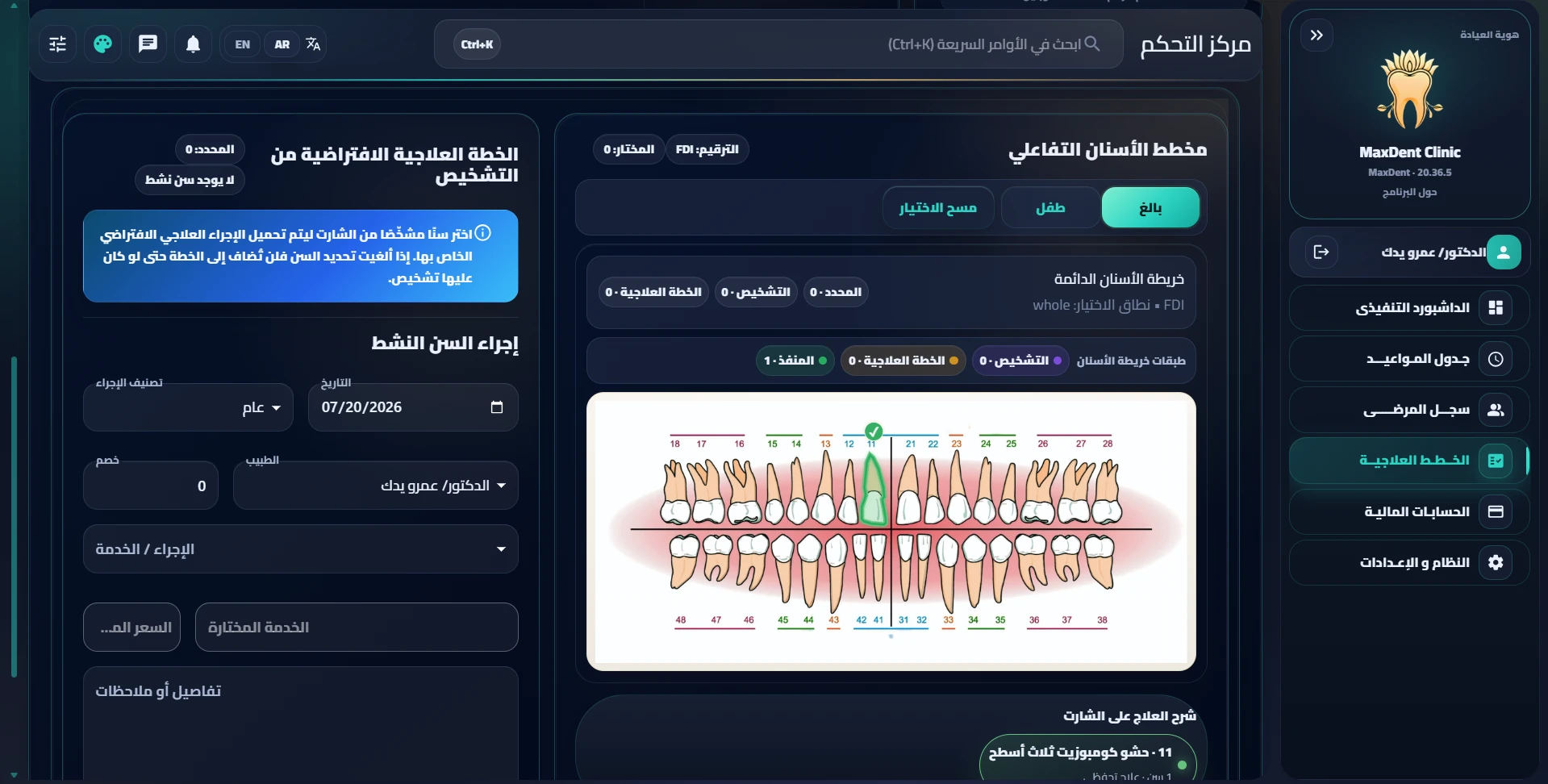
🦷 Odontogram layers

Show/hide visual separation between diagnosis, plan, and completed work for clearer case reading.

📱 Mobile and tablet

Cards for simple tables, safe scrolling for complex tables, touch-friendly targets, and fully responsive dialogs.

☁️ Smarter sync and backup

True OneDrive detection, payroll and instructions included in backup, and better compatibility with older backups.

💬 WhatsApp automation and patient campaigns

Patient reminder and follow-up messages with targeted campaigns, precise filters, and a complete log for every sent message.

🗒️ Independent execution note for each treatment item

Document what was actually performed for each treatment-plan item separately from the item description itself.

⚡ Faster performance on heavy screens

Build the executive dashboard with one aggregated query and lazy-load heavy details — faster opening of the first screen on every login.

🧹 More complete full reset

Clean data, files, imaging, and roles while fully protecting backups, licensing, and administrator accounts.

System scale and feature coverage

A broad platform with real operational depth inside the clinic

MaxDent does not offer isolated features; it covers the complete workflow across 16 connected operational sections, with regular development that keeps pace with doctors’ needs and daily management.

590Documented feature and service
92New addition in the latest developments
16Integrated operational sections
Regular updatesContinuous development driven by doctors’ needs

Sections richest in features

This distribution reflects the breadth of coverage across the most important parts of the software according to the current feature guide.

Treatment52
X-rays and images50
Financial reports50
Backup46
Appointments45
Settings45
Patient records43
Licensing and trial39

Coverage across the rest of the system

Even back-office and administrative sections have clear practical coverage to reduce dependence on external solutions.

Executive dashboard38
Messaging and alerts38
Accounting and collections34
Laboratory management28
Odontogram26
Clinic identity26
Users and permissions21
Audit log9

The software keeps evolving

MaxDent is developed regularly to add new features, improve the user experience, and address practical feedback from clinics. The system is not static; it grows with doctors’ needs and the details of daily operation.

System breadth

Real coverage across every area of clinic work

More than 590 feature points distributed across 16 operational sections — this is their visual overview.

Coverage depth by area

Maturity indicator

How complete each area is within the system

Feature distribution by area

Approximate number of feature points in each area

Feature points

0
Documented feature and service

Operational sections

How the system is divided inside the software

Implementation quality

Fable
0
Clinic operational readiness
MaxDent Enterprise Now launched

Branch management is now a real part of MaxDent

Enterprise is now available for centers and dental clinic groups, combining every Pro feature with organized centralized management for multiple branches.

🏛️

Main center and central dashboard

View the main branch, a specific branch, or all branches from the same dashboard, with consolidated indicators and the latest update time.

📡

Monitor each branch connection

See connected and disconnected branch status and stalled synchronization operations in clear language.

🔄

Organized and secure synchronization

Event queues and conflict review prevent record mixing and preserve each branch’s ownership of its data.

🔌

Keep working offline

Each branch continues daily local operation, then resumes synchronization when connectivity returns.

📊

Consolidated and individual reports

Compare revenue, collections, and doctors for each branch or across all branches.

👤

Patient record across branches

View the organization-wide clinical record while showing the owning branch and protecting incoming records from accidental editing.

💾

Backup for the branch network

Optionally preserve branch records, mapping information, and synchronization queues with backward compatibility.

🔐

Permissions by branch and role

Clear separation between viewing, administration, and sensitive-report permissions in the center and branches.

Structured expansion

Start with a main branch and one additional branch, then add more branches when needed without changing the core workflow.

Complete feature matrix

Comprehensive coverage for every part of clinic work

The Features tab has been restructured to present MaxDent according to its actual operational sections, making it easier for doctors and clinic managers to understand the depth of coverage quickly and clearly.

38 documented points

01 — Executive dashboard

  • Immediate indicators for appointments, collections, and expenses.
  • Aurora dashboard with calm charts, income indicators, and collection intensity.
  • Quick follow-up lists for patients and recent records.
45 documented points

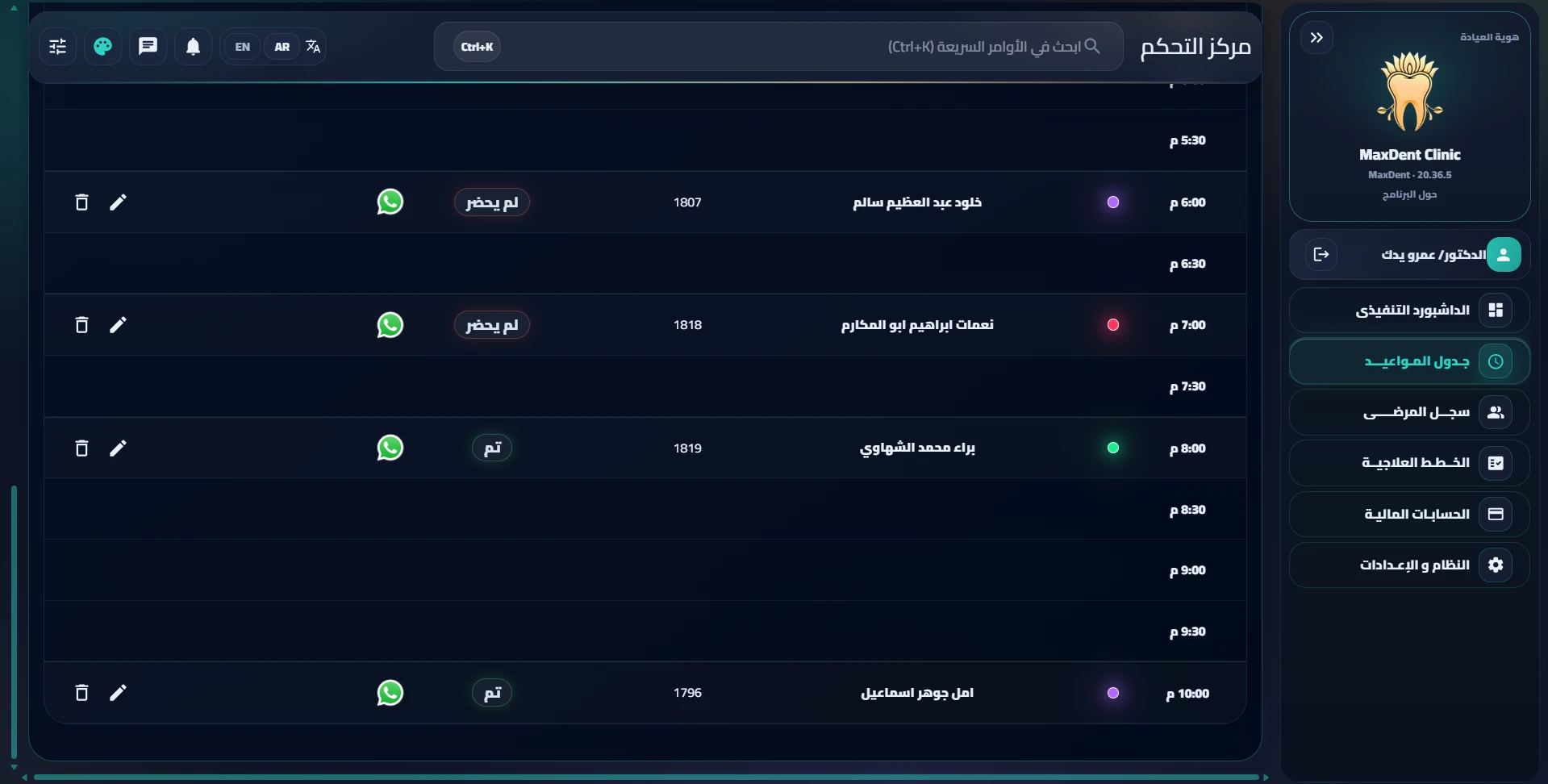
02 — Appointments page

  • Daily, weekly, and monthly views.
  • Smart booking, conflict prevention, and quick status changes.
  • WhatsApp, reminders, and payment-status indicators next to the patient name.
43 documented points

03 — Patient records

  • Organized patient record with real search across the entire database.
  • Manage file numbers, numbering gaps, and family records.
  • Quick communication, archiving, and deletion with separate permissions.
52 documented points

04 — Treatment workspace

  • Independent diagnosis, smart treatment planning, and a clear plan table.
  • Financial and treatment summary inside one record.
  • Link treatments to expenses, payments, and attachments.
50 documented points

05 — X-rays, images, and prescriptions

  • Manage images and X-rays inside the treatment record.
  • Advanced X-ray viewer with measurement, comparison, and visual enhancements.
  • Organized prescriptions and printable post-procedure instructions.
26 documented points

06 — Clinical odontogram page

  • Interactive odontogram for adults and children.
  • Visual separation of diagnosis, planned, and completed layers.
  • Clearer reading of teeth, surfaces, and roots.
34 documented points

07 — Accounting, collections, and payments

  • Collections, discounts, credit balances, and debts.
  • Every financial movement linked to the treatment record.
  • Flexible individual and family accounting.
50 documented points

08 — Financial reports and expenses

  • Income, expense, profitability, and account-statement reports.
  • Detailed monthly, weekly, and daily analyses.
  • Management clarity that helps decisions happen faster.
28 documented points

09 — Laboratory management

  • Track work from ready-to-send through receipt.
  • Link lab cost to the plan and accounting.
  • Account statements and protection for sent and received records.
21 documented points

10 — Users, roles, and permissions

  • Clear roles for doctor, reception, management, and owner.
  • Precise separation between viewing, editing, deletion, and sensitive actions.
  • Reduce unnecessary access to critical data.
9 documented points

11 — Audit log and review

  • Track important actions inside the system.
  • Clearer visibility into who performed an action and when.
  • Better support for management review and internal oversight.
26 documented points

12 — Clinic identity and interface settings

  • Customize clinic branding and core clinic information.
  • Control selected interface and visibility elements.
  • A more consistent experience with the clinic’s working style.
45 documented points

13 — Operational settings

  • Configure patients, appointments, services, medications, and accounting.
  • Set the operating rules that control daily work.
  • Extensive flexibility to adapt the system to the clinic’s workflow.
38 documented points

14 — Messaging and alerts

  • Medical and operational alerts and WhatsApp communication.
  • Clear patient reminders and organized follow-up.
  • Status messages that help reduce operational mistakes.
46 documented points

15 — Backup and restore

  • Local and scheduled backup with an additional cloud-sync layer.
  • True OneDrive detection and better compatibility with older backups.
  • Safer restore, system status, and file paths.
39 documented points

16 — Licensing, protection, and overall experience

  • License protection and improvement of the overall user experience.
  • Better support for mobile, tablet, and small tables.
  • A stable system designed to remain practical inside the clinic.
Clinical management

From first diagnosis to the final treatment session

An integrated workflow that helps doctors and staff manage each case quickly, accurately, and clearly.

🦷

Comprehensive patient management

A complete medical record for every patient with a unique file number, medical history, diagnoses, and family relationships.

  • Guaranteed file number for every patient
  • Organized clinical record
  • Link patients through family relationships
  • Separate or combined family accounts
🗓️

Advanced appointment schedule

A clear visual appointment view with booked-slot locking, search and filtering, and customized visibility according to doctor and permissions.

  • Prevent time conflicts
  • Fast filtering and search
  • Accurate attendance statuses
  • Indicators next to the patient name show payment status immediately
  • Waiting-list management
🦴

Odontogram and treatment plan

Interactive dental chart and treatment plan linked to the treated tooth, price, doctor, and status.

  • Specific tooth, surface, or root
  • Drag-and-drop plan ordering
  • Print treatment plan
  • Direct invoice linkage
💊

Dental prescriptions

Organized medication catalog, doses, duration, frequency, and notes with professional prescription printing.

  • Adult and pediatric medications
  • Clear medication categories
  • Structured dose fields
  • Link prescription to the session
🩻

X-ray and imaging management

Unified imaging storage inside the system with import, organization, safe paths, and separate backups.

  • Imaging folder for every patient
  • Inbox for receiving files
  • Classification for legacy paths
  • Protection against conflicting restores
🔬

Laboratory and supplier management

Track laboratory work from sending to receiving and link the cost to treatment and invoices.

  • Supplier database
  • Clear work statuses
  • Link laboratory cost to the invoice
  • Account statement and expenses
Accounting and reports

Reports that give you a true picture of clinic performance

Accurate daily and monthly accounting with strong protection for collection and payment-refund logic.

💰

Billing and collections

Session invoices, payments, discounts, credit balance, and protection of the actual accounting day during refunds and reversals.

  • Detailed invoices
  • Multiple payment methods
  • Professional payment reversal and refunds
  • Accurate daily and monthly reports
  • Every financial movement linked to a treatment procedure and a clear audit trail
👨‍👩‍👧

Shared family accounts

Flexible payment between family members with connected records and the option for separate or shared accounts.

  • Two-way family linkage
  • Shared family balance
  • Collection flexibility
  • Faster search across family accounts
📊

Executive reports

Dashboards for appointments, collections, expenses, debts, and incomplete treatment plans.

  • Organized executive cards
  • Clear real-time data
  • Details when needed
  • Stable display even when permissions are limited
Operations and communication

Faster communication, calmer management, and a better-coordinated team

MaxDent does not only manage data; it simplifies daily work and shortens repetitive steps.

📱

WhatsApp for reminders and follow-up

Organize clinic messages with patients more clearly: appointment reminders, post-visit follow-up, and administrative messages that reduce forgetfulness and improve adherence.

  • Pre-appointment reminders
  • Post-session follow-up
  • Organized messages instead of randomness
  • Better patient experience
💬

Internal team messaging

Integrated secure team chat with read status, presence, and conversation management.

  • Instant messages
  • Read tracking
  • Close and organize conversations
  • Secure storage inside the system

Quick commands and a modern user experience

Fast search, shortcuts, and a polished interface give users a feeling of speed and confidence while working.

  • Fast search across the system
  • Comfortable dark design
  • Logical distribution of functions
  • Bilingual support
Protection and backup

Security and backup architecture that provides real peace of mind

Features have no value without stability and security; the system therefore includes clear layers for protection, backup, and recovery.

🗄️

Backup that protects clinic data

Protect patient, accounting, and imaging data from loss through organized and scheduled backup according to clinic policy.

  • Complete clinic-data backup
  • Option to separate imaging files
  • Automatic backup scheduling
  • Reduce the risk of data loss
🔐

Clear permissions for every team member

Define what doctors, receptionists, or managers can see and do while reducing unnecessary access to sensitive data.

  • Roles for owner, manager, doctor, and reception
  • Hide inappropriate details from each role
  • Track important actions inside the clinic
  • Better protection for patient and accounting data
🛡️

Stability tests before delivery

Before every release, sensitive areas such as accounting, backup, permissions, and user experience are checked to reduce operational errors.

  • Validate core financial actions
  • Review the backup path
  • Test important permissions
  • A more stable clinic experience
☁️

Cloud backup through OneDrive and Google Drive

MaxDent supports choosing a backup path inside OneDrive or Google Drive folders on the server, keeping an organized local copy with an additional cloud-sync layer according to clinic settings.

  • Automatic backup scheduling
  • Choose the backup folder according to clinic policy
  • OneDrive and Google Drive support
  • Synchronize the latest backups while reducing clutter
🧾

Accounting linked to procedures with an audit trail

Accounting does not operate as numbers disconnected from treatment; every collection, invoice, or edit is linked to the procedure and user, giving management clear visibility and reducing the risk of lost money or manipulation.

  • Link invoices to treatment procedures
  • Record the responsible user for every action
  • Audit trail showing who performed each action and when
  • Full management control over the flow of money inside the clinic
Sensitive-data protection

Cloud backup does not replace local backup — it adds a stronger security layer

Local backup remains the primary recovery point inside the clinic, while OneDrive or Google Drive synchronization provides an additional copy outside the server when configured correctly.

Local Auto Cloud